
Disaster recovery
The hurricane-season IT checklist for small offices
The Atlantic hurricane season runs from 1 June to 30 November. A storm doesn’t have to take your business offline with it, as long as you prepare before the warnings start.
By the CNS team · · 6 min read
Key takeaways
- The time to prepare is before the season, not when a storm is three days out.
- A backup only counts if you’ve tested restoring from it, and at least one copy must be away from your office.
- Moving files, email and phones to the cloud lets people keep working from wherever they are.
- After a storm, never power up equipment that might be wet.
Why IT needs a hurricane plan
Anyone who lived through Hurricane Ivan in 2004 remembers how long it took for power, phones and offices to come back. A direct hit isn’t the only risk, either. Storm surge, flooding, long power cuts and staff who have evacuated off-island can all stop a business that relies on a server in the back room.
The good news is that most of the work is done once, well before the season. Then it’s a short, rehearsed routine whenever a storm is forecast.
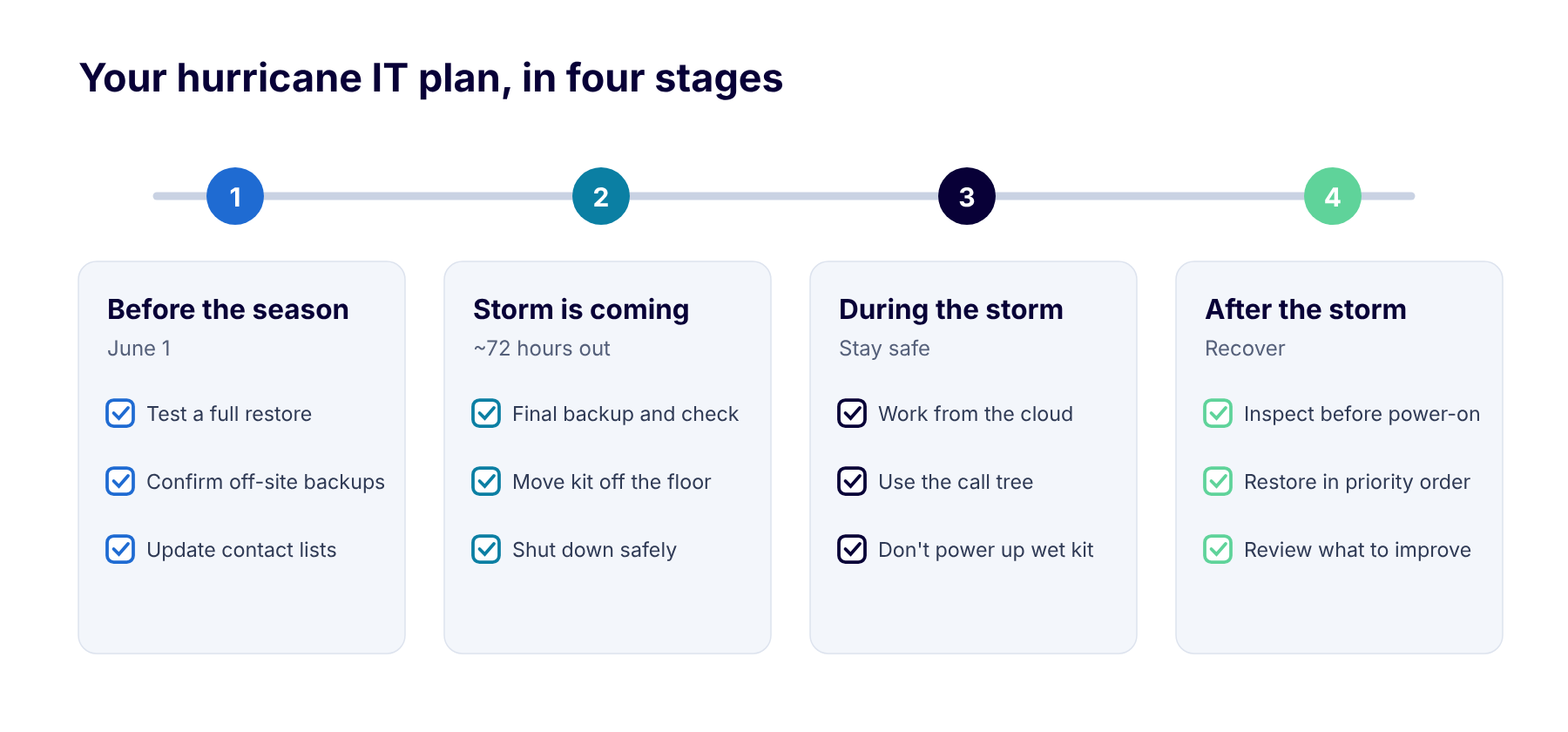
Print this and keep it with your office hurricane plan.
Before the season
Aim to have these done by 1 June, and check them again in August before the peak of the season.
- Follow the 3-2-1 backup rule: three copies of your data, on two kinds of storage, with at least one off-site.
- Test a full restore, not just a single file. Time it so you know how long recovery really takes.
- Keep a copy in a hurricane-rated facility, ideally in Cayman so your data stays in the jurisdiction.
- Move files and email to the cloud (OneDrive, SharePoint and Exchange Online) so they don’t depend on your office.
- Check that everyone can work remotely, with multi-factor authentication and a laptop they can take home.
- Protect your equipment with UPS battery backup and surge protection on servers and network gear.
- Photograph and list your equipment with serial numbers for insurance claims.
- Store passwords and key contacts in a secure vault you can reach from anywhere, plus a printed call tree.
- Check your insurance covers equipment and business interruption.
When a storm is coming
Around 72 hours before a storm is expected, work through this list. It takes a couple of hours if you’ve prepared.
- Run a final backup and confirm it completed.
- Ask staff to save everything to OneDrive or SharePoint and take laptops and chargers home.
- Raise equipment off the floor, move it away from windows and cover it with plastic sheeting.
- Shut down servers and network equipment properly, then unplug them.
- Forward the main number or set up a holiday greeting, and post an update on your website and social media.
- Make sure your IT provider’s emergency number is in everyone’s phone.
During and after the storm
During the storm, safety comes first. Don’t go into the office to check on equipment. If people can work, they can do it from wherever they are through the cloud.
When it’s safe to go back:
- Look for water damage before you touch anything. Never power up equipment that might be wet.
- Power up in order: internet and firewall first, then switches, then servers, then computers.
- Check that systems and data are intact, and restore from backup if they aren’t.
- Watch out for storm-related scams, such as fake relief appeals and invoice fraud. They spike after every major storm.
- Hold a short review: what worked, what didn’t, and what to change before next season.
How CNS can help
Our on-island cloud runs in a hurricane-rated data centre in Cayman, so your backups and hosted systems keep running when your office can’t. We design disaster recovery plans, test restores with you, and move files, email and phones to the cloud so your team can work from anywhere.
Our managed IT clients get help with the shutdown and restart, and our team answers emergency calls 24/7 on (345) 926-7666.
More insights

Questions about your own setup?
Talk to a Cayman IT expert. No obligation, no jargon.